

Talking to users and customers is arguably the most valuable part of the product development process. In the past, you would talk to customers, scribble notes, and then manually synthesize these notes into some kind of summary document, then share with the team. These insights would (hopefully) be woven into the product development process.
Usually, these artifacts would then collect dust in a forgotten repository, never to be opened or referred to again.
What if every user interview compounded in value the more you ran?
Today, call recorders and AI turn can these conversations into a reusable asset. The insight doesn't disappear after the call. It compounds.
This is how to do it.
Step 1: Download and prepare your call transcripts
The first step is to bring the raw call transcripts from your recording tool from the cloud down to your computer.
Download them directly or copy/paste into text files on your computer. Save them as markdown files, which are ideally suited for machine-readability, but still easy for a person to understand. Save them in a dedicated folder within your project folder. Ask Claude or ChatGPT how to do that if you are unsure how. One file for each transcript is ideal. This gives you and your LLM a direct repository of all conversations with your users.

Once this done, you can start turning those raw files into valuable design artifacts to be used as AI context.
Step 2: Synthesize the raw transcripts into summary artifacts
Now that you have the raw materials, turn them into summary artifacts.
The Artifacts
Themes & affinity mapping
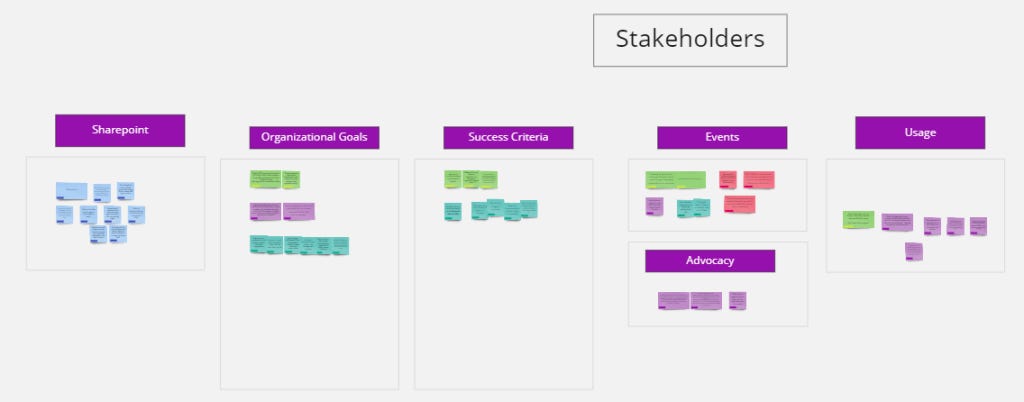
Extract common themes, pain points, similar quotes, and shared experiences.
The Prompt:
I’m going to share one or more user interview transcripts with you. Your job is to analyze them and produce a structured Themes & Affinity Map as a markdown document.
For each theme you identify, I want you to:
Give it a short, descriptive name
Write a 1–2 sentence summary of what the theme represents
List the specific pain points or friction moments that fall under it
Pull 2–3 direct quotes from the transcripts that best illustrate it (include the participant identifier or interview date if available)
Note how many participants mentioned it, or roughly how prevalent it was
After mapping the individual themes, add a final section called “Cross-cutting patterns” — observations that showed up across multiple themes or that surprised you.
Format the output as a .md file. Use H2s for each theme, and keep the quotes in blockquotes. Prioritize signal over completeness — if something only came up once and felt like an outlier, flag it briefly at the bottom under “Weak signals / worth watching” rather than elevating it to a full theme.
Here are the transcripts: [paste or attach your .md transcript files]
Jobs to be done
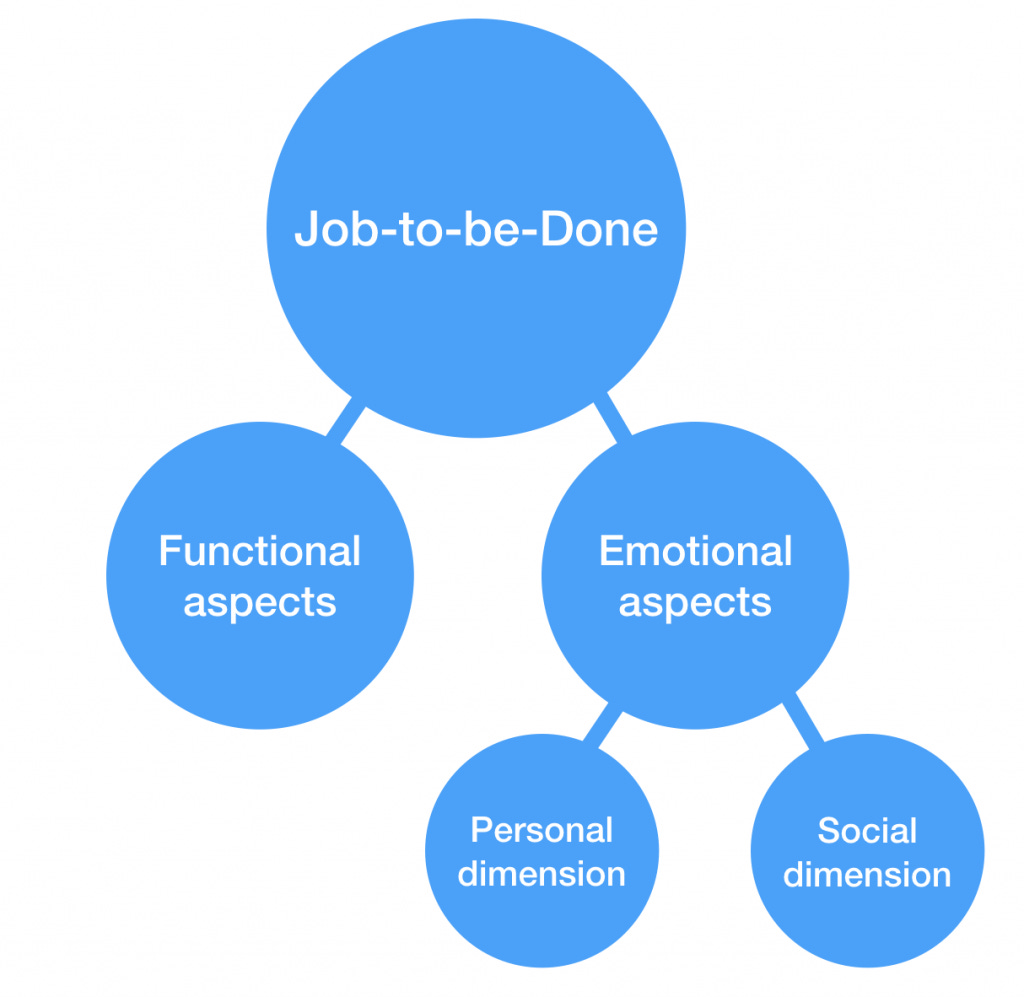
What exactly are people really trying to accomplish, and what’s stopping them?
The Prompt:
I’m going to share one or more user interview transcripts with you. Your job is to analyze them through a Jobs-to-be-Done lens and produce a structured JTBD document as a markdown file.
For each job you identify, capture the following:
The job statement — written in the classic JTBD format: “When [situation], I want to [motivation], so I can [expected outcome].” Write it in the user’s voice, not product language.
Job type — is this a functional job (a practical task they’re trying to accomplish), an emotional job (how they want to feel), or a social job (how they want to be perceived)?
Current approach — how are they getting this job done today? What tools, workarounds, or manual steps are they using?
Where it breaks down — what’s failing, slow, frustrating, or missing in their current approach?
Supporting quotes — 1–2 direct quotes from the transcripts that reveal this job (include participant ID or date if available)
Prevalence — how many participants expressed this job, explicitly or implicitly?
After listing the individual jobs, add two closing sections:
“Underserved jobs” — jobs that came up frequently but where participants had no good solution. These are the highest-signal opportunities.
“Assumed jobs vs. actual jobs” — if anything you heard contradicts common assumptions about what users in this space are trying to do, call it out explicitly.
Format as a .md file. Use H2s for each job. Keep job statements in bold. Remember: a job is not a feature request — if a participant says “I wish it had a dashboard,” dig into why and write the job behind that request.
Here are the transcripts: [paste or attach your .md transcript files]
Personas & archetypes
![[Free Template] User Persona Black & White](https://substackcdn.com/image/fetch/$s_!tJhf!,f_auto,q_auto:good,fl_progressive:steep/https%3A%2F%2Fsubstack-post-media.s3.amazonaws.com%2Fpublic%2Fimages%2F82887471-94f3-4d21-8329-591ee04ba890_400x300.jpeg "[Free Template] User Persona Black & White")
These conversations also make great source material for personas and archetypes, if that's part of your process.
The Prompt:
I’m going to share one or more user interview transcripts with you. Your job is to analyze them and synthesize the participants into a set of research-grounded persona archetypes, formatted as a markdown document.
Don’t invent personas from assumptions — every persona should be directly traceable to patterns across the actual participants in these transcripts. If the interviews only support two distinct archetypes, give me two. Don’t pad.
For each persona, include:
Persona name and archetype label — give them a memorable name and a short descriptor that captures their defining orientation (e.g., “The Reluctant Adopter” or “The Power User Flying Blind”)
Who they are — a 2–3 sentence sketch: their role, context, and how they relate to the problem space. Keep it grounded, not demographic filler.
What they’re trying to accomplish — their primary goal or job in this context, in their own terms
How they currently operate — their workflow, tools, and habits as revealed in the interviews
What frustrates them — the specific friction points, blockers, and failure modes they described
What they care about beyond the task — the emotional or social stakes: how they want to feel, how they want to be seen, what success looks like to them personally
Representative quote — one direct quote from the transcripts that captures their voice and worldview
Which participants map to this persona — list the participant IDs or interview dates that informed this archetype
After the individual personas, add a section called “Persona tensions” — places where the needs or behaviors of different personas are in conflict. These are the design tradeoffs you’ll have to make explicit.
Format as a .md file. Use H2s for each persona. Avoid generic persona clichés (age, stock photo descriptions, hobbies unrelated to the problem). Every detail should earn its place by being relevant to how this person would use or react to the product.
Here are the transcripts: [paste or attach your .md transcript files]
Now you’ve got several artifact types that are valuable on their own, but are even more valuable as inputs into the next step of the process.
3. What you can do with that context
Once you’ve created these artifacts, use them as foundational context for the next steps in the development process. When running any of these analyses, ideally include both the transcript files and the summary artifacts. However, if token usage is a concern, just use the summary artifacts.
The Use Cases & Possibilities
Add detail to PRDs and Product Strategy Docs
When you’re writing or creating PRDs and strategy documents, the context you’ve created can ensure you’re solving the right problem, or solving the problem in the right way.
Note, this assumes you already have a draft or version of a PRD or strategy doc started. If not, just edit the top of the prompt to say so.
The prompt:
I’m going to share an existing PRD or product strategy document with you, along with one or more user research context files: interview transcripts, a themes & affinity map, a JTBD document, and/or a personas document.
Your job is not to rewrite the PRD — it’s to stress-test it against what we actually heard from users and identify where it’s strong, where it’s thin, and where it may be pointing in the wrong direction.
Go through the document and give me the following:
What’s well-supported — which goals, assumptions, or decisions in this PRD are directly backed by what users said? Call these out specifically so we know where we have confidence.
What’s assumed but unverified — where is the PRD making claims about user needs, behaviors, or motivations that aren’t reflected in the research? These aren’t necessarily wrong, but they’re bets we haven’t validated.
What’s contradicted — where does the PRD assert something that the transcripts or artifacts directly push back on? Be specific: quote the PRD claim and the user evidence against it.
What’s missing — based on the research, is there a user need, friction point, or job-to-be-done that the PRD doesn’t address at all? If a theme or job came up repeatedly in the interviews and isn’t reflected here, flag it.
Suggested additions — for the gaps and contradictions, suggest 2–3 specific additions or amendments to the PRD — not rewrites, just targeted inserts that would make it more grounded in what users actually told us.
Context files: [attach transcripts, themes map, JTBD doc, and/or personas .md files] PRD or strategy doc: [paste or attach your document]
Pressure-test design decisions against real behavior
By dropping in a a design file, screenshot, or even the code repo, you can understand how users might react to a new idea. Are their concerns addressed? Did you hear them correctly?
Add a screen from your experience, one or more of the artifact files from above, and the transcripts directory.
The prompt:
I’m going to share a design with you — this may be a screenshot, a design file, or a description of a feature or flow. I’m also going to share one or more of the following context files: user interview transcripts, a themes & affinity map, a JTBD document, and/or a personas document.
Your job is to analyze this design from the perspective of the real users represented in those files — not as a general UX critic, but specifically through the lens of what those actual people said, needed, and struggled with.
For each persona or user archetype represented in the context, tell me:
What would resonate — what in this design directly addresses something they expressed or a job they were trying to get done?
What would confuse or frustrate them — where does this design create friction, contradict their mental model, or fail to address something they specifically raised?
What’s missing — based on the transcripts, is there a pain point, workflow step, or decision moment that this design doesn’t account for at all?
The moment of doubt — identify the single point in this flow where the user is most likely to hesitate, second-guess themselves, or drop off, based on what you know about them
After the per-persona analysis, give me a “Verdict” section: a 2–3 sentence plain-language summary of how well this design is serving the users we actually talked to, and the one change that would have the highest impact.
Also steelman the case against this design: based on the transcripts, what would make users resist, dismiss, or misuse any part of it?
Context files: [attach transcripts, themes map, JTBD doc, and/or personas .md files] Design: [paste screenshot, attach design file, or describe the feature/flow]
Analyze UI copy and write in their actual voice
One of the most important design heuristics is the “match between the system and the real world” - Neilsen. In other words, is this real world vocabulary or is this system speak?
You can analyze if the UI copy sounds like the labels or language people use in the real world.
Add a screen from your experience, one or more of the artifact files from above, and the transcripts directory
The prompt:
I’m going to share a screen or UI with you, along with one or more context files: user interview transcripts, a themes & affinity map, and/or a vocabulary document. Your job is to audit the copy in this UI against the real language our users actually use — and then rewrite anything that doesn’t match.
First, do a copy audit. For each label, heading, button, error message, or instructional text in the screen, tell me:
Does this match user language? — Is this a word or phrase our users actually used, or close to it? Or is this internal product language, technical jargon, or a term no one in the transcripts ever said?
What did they actually say? — If the current copy doesn’t match, what word or phrase did users use when describing this action, state, or concept? Pull directly from the transcripts where possible.
Risk level — Flag each mismatch as High (likely to cause confusion or hesitation), Medium (slightly off but probably understood), or Low (minor tone issue)
After the audit, do a rewrite pass. For every High and Medium risk item, provide an alternative that uses the user’s actual vocabulary. Keep the rewrites tight — match the length and format of the original. Don’t over-explain; just swap the language.
Finally, add a “Voice & Tone” note — 2–3 sentences describing how our users actually talk about this problem space: their register, their level of technical fluency, and any specific phrases that showed up repeatedly and should become part of our copy vocabulary going forward.
Context files: [attach transcripts, themes map, and/or vocabulary doc as .md files] Screen: [paste screenshot or describe the UI]
These artifacts become your compounding intelligence repository over time.
The transcripts don’t expire - new calls enrich the data set and improve the context over time. The artifacts you create will evolve. You’ll build a record that gets more robust and valuable as time goes on.
More in this series:

About Us
Design Language is a newsletter for all product builders (PMs, Engineers, Founders, etc) who want to improve their design literacy, hone their sense of tase, and improve their craft when building products.
Jeremy Belcher is a 15 year product and design veteran. He has designed UX/UI for products used by tens of millions for brands like Google, Salesforce, Saturday Night Live, DirecTV, BMW, Emirates, Visa and in the past several years has focused on new enterprise workflow products. He runs the product studio Robot Heart, which designs, builds, and validates 0 → 1 B2B workflow tools for teams and founders.
David Issa is a digital strategy and product design leader with over 15 years of experience guiding companies through transformation. He has helped scale products and teams across healthcare, fintech, and enterprise software, translating complex systems into human-centered experiences. David runs a strategic design practice focused on aligning purpose, architecture, and execution—bridging design, AI, and organizational strategy to help teams build with clarity and intent.